Text to Speech (TTS): The Complete Guide to Natural AI Voices (2026)
Text to speech has gone from robotic to almost human in a few years. This guide explains how TTS works, what people use it for, how to prepare text so it sounds natural, how to use AI voices responsibly, and how to turn any text into a voice message in seconds.
The short answer: text to speech (TTS) turns written text into spoken audio. A few years ago it sounded like a robot; today's AI voices breathe, pause and change their tone like a person. You can use it to listen instead of read, add a voice-over to a video, practise a language or send a voice message without recording yourself. With a Telegram bot such as heymesbot, you paste a text and get a natural voice message back in seconds.
In this guide
What TTS is and how AI voices are made
Six everyday uses
Eight tips for a natural result
How to choose a TTS tool
Using AI voices responsibly
Turning text into a voice message in Telegram
What is text to speech?
Text to speech is software that reads written text aloud in a synthetic voice. It is also called speech synthesis, and you'll see it as "read aloud", "voice generator" or "AI voice" in apps.
It is easy to confuse with two neighbours:
Speech to text (dictation, speech recognition) goes the other way: it turns spoken words into text.
Voice cloning creates a copy of one specific person's voice from recordings. Standard TTS uses preset voices instead.
You'll find these and many more terms explained in our AI glossary.
How text to speech works: from robotic to natural
TTS has gone through three big generations.
Concatenative TTS cut a voice actor's recordings into tiny pieces and stitched them back together. It could sound clear, but joins were audible and changing the voice or emotion meant recording a whole new database.
Parametric TTS generated speech from a statistical model. It was flexible but sounded buzzy and flat.
Neural TTS changed everything. In 2016 DeepMind's WaveNet generated the sound wave directly, one sample at a time, and in blind listening tests cut the gap between the best existing systems and human speech by more than half. In 2017 Google's Tacotron 2 combined a network that predicts the sound's features from text with a WaveNet-style "vocoder", reaching naturalness comparable to professional recordings.
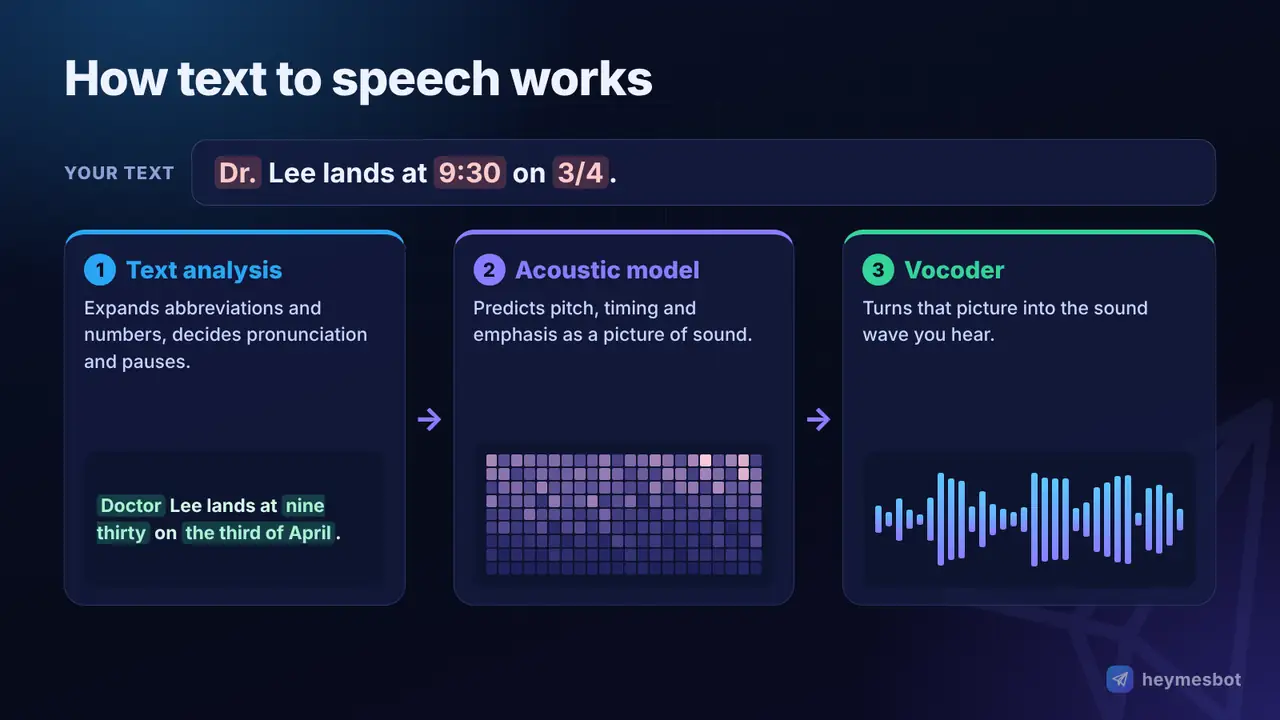
Most modern systems still follow three steps:
Text analysis. The text is cleaned up and expanded: "Dr." becomes "doctor", "2026" becomes "twenty twenty-six", and the system works out pronunciation and where sentences and pauses go.
Acoustic model. A neural network predicts how the speech should sound: pitch, timing, emphasis and intonation, often as a spectrogram (a picture of sound).
Vocoder. A second network turns that picture into the actual audio wave you hear.
The newest voices are built on the same large language model technology as AI chatbots (see What Is Artificial Intelligence and How Does It Work?), so they understand context better: a question really sounds like a question, and a list sounds like a list.
What people use text to speech for
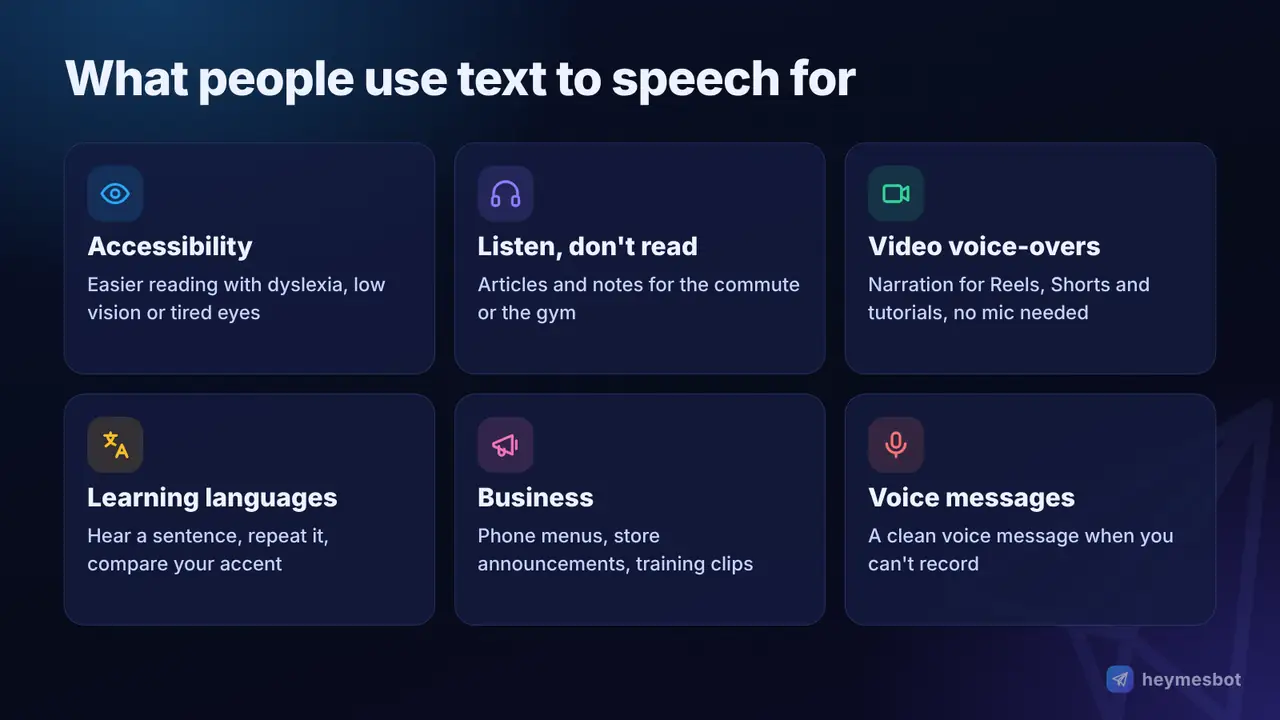
Accessibility. For people with dyslexia, low vision or reading fatigue, hearing text while seeing it can make reading much easier, as the learning-differences organisation Understood explains.
Listening instead of reading. Turn long articles, notes or study material into audio for the commute, the gym or the kitchen.
Voice-overs for videos. Reels, Shorts, tutorials and product videos get a clean narration without a microphone or a quiet room.
Learning languages. Hear how a sentence sounds, repeat after it and compare your pronunciation.
Business and announcements. Phone menus, store announcements, training clips and product explainers in a consistent voice.
Messages you can't record. Send a polished voice message when you're in a noisy place, shy about your voice or writing in a language you don't speak fluently.
Eight tips for a natural-sounding result
The voice is only half the job; the other half is the text you give it. Text that reads well on screen doesn't always sound good aloud.
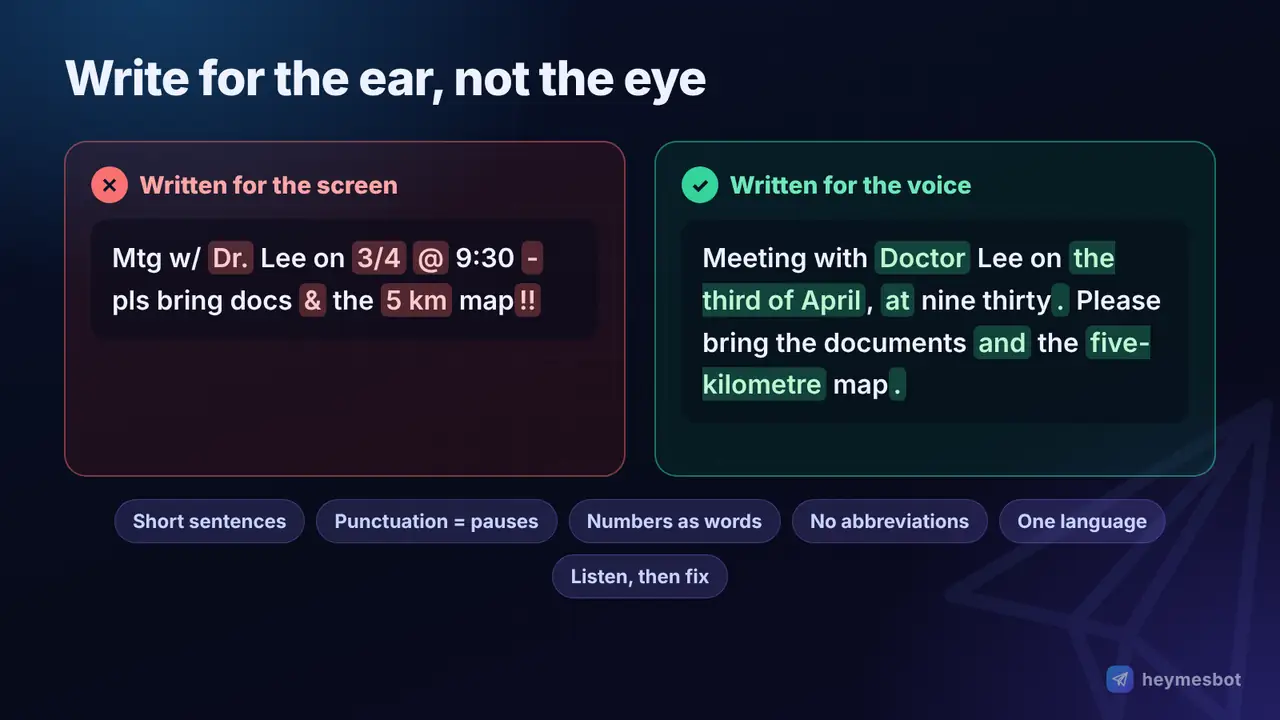
Write for the ear. Use short sentences and simple words. A listener can't scroll back.
Use punctuation to control pauses. Commas give a short pause, full stops a longer one. A question mark changes the intonation, so use it only for real questions.
Write numbers, dates and units the way they should be said. "On 3/4" is ambiguous; "on the third of April" is not. "5 km" is clearer as "five kilometres".
Expand abbreviations and symbols. "e.g.", "&" or "%" may be read oddly; write "for example", "and", "per cent".
Help with tricky words. If a word can be pronounced two ways (like "read" or "live"), rephrase the sentence so the meaning is obvious.
Keep one language per text. Switching languages mid-sentence can change the accent. Put foreign names in simply.
Match the voice to the content. A calm, deep voice suits a meditation or documentary; a bright, cheerful one suits an ad or a birthday message.
Listen before you publish, and split long texts. Generate a version, listen, fix the sentences that sound wrong and try again. Shorter chunks are easier to fix.
Professional studios go further with SSML, a W3C markup language for marking exact pauses, emphasis and pronunciation. For everyday use, the tips above get you most of the way. For more on giving AI clear instructions, see our guide to writing AI prompts.
How to choose a text to speech tool
| Option | Sound quality | What you get | Cost and effort |
|---|---|---|---|
| Built-in reader (phone, computer, browser) | Clear but often mechanical | Reads the screen aloud; usually no audio file | Free; nothing to install |
| Cloud TTS for developers | Very natural | Audio files through an API | Pay per character; needs coding and a bank card |
| Online voice studios | Very natural, many extras | Files, editing tools, voice libraries | Usually a monthly subscription |
| heymesbot in Telegram | Natural AI voices, 10 to choose from | A Telegram voice message, ready to forward or save | 0.03 TON per message, no subscription, no install |
The right choice depends on volume. If you produce hours of audio every week, a studio subscription may pay off. If you need a voice message here and a voice-over there, paying per message inside an app you already use is simpler.
Using AI voices responsibly
AI voices are powerful, so a few rules matter:
Never clone or imitate a real person's voice without their permission. The US Federal Trade Commission warns that scammers use voice cloning to fake calls from relatives in trouble. If you get an urgent call asking for money, hang up and call the person back on a number you know.
Tell your audience when a voice is AI-generated. OpenAI's usage policies, for example, require a clear disclosure to listeners that the voice they hear is AI-generated.
Respect the content rules. AI voice services refuse hateful, deceptive or explicit text.
heymesbot uses only preset AI voices; it does not copy anyone's real voice.
Text to speech in Telegram with heymesbot
heymesbot brings natural AI voices into the chat app you already have open, with no app to install and no subscription:
Open the bot at t.me/heymesbot and press Start.
Tap Text to Speech in the menu, or simply write something like "read this aloud: …".
Send your text, up to 1,000 characters (about a minute of speech), in any language the voices speak.
Get a Telegram voice message back in seconds. Under it, 🔁 Regenerate makes a new take and 🎙️ Try Another Voice opens the voice picker.
Pick your voice once. There are ten: Alloy (balanced), Marin (warm), Cedar (calm), Nova (bright), Onyx (deep), Coral (cheerful), Ash (clear), Sage (soft), Echo (friendly) and Shimmer (gentle). Your choice is remembered for every future message.
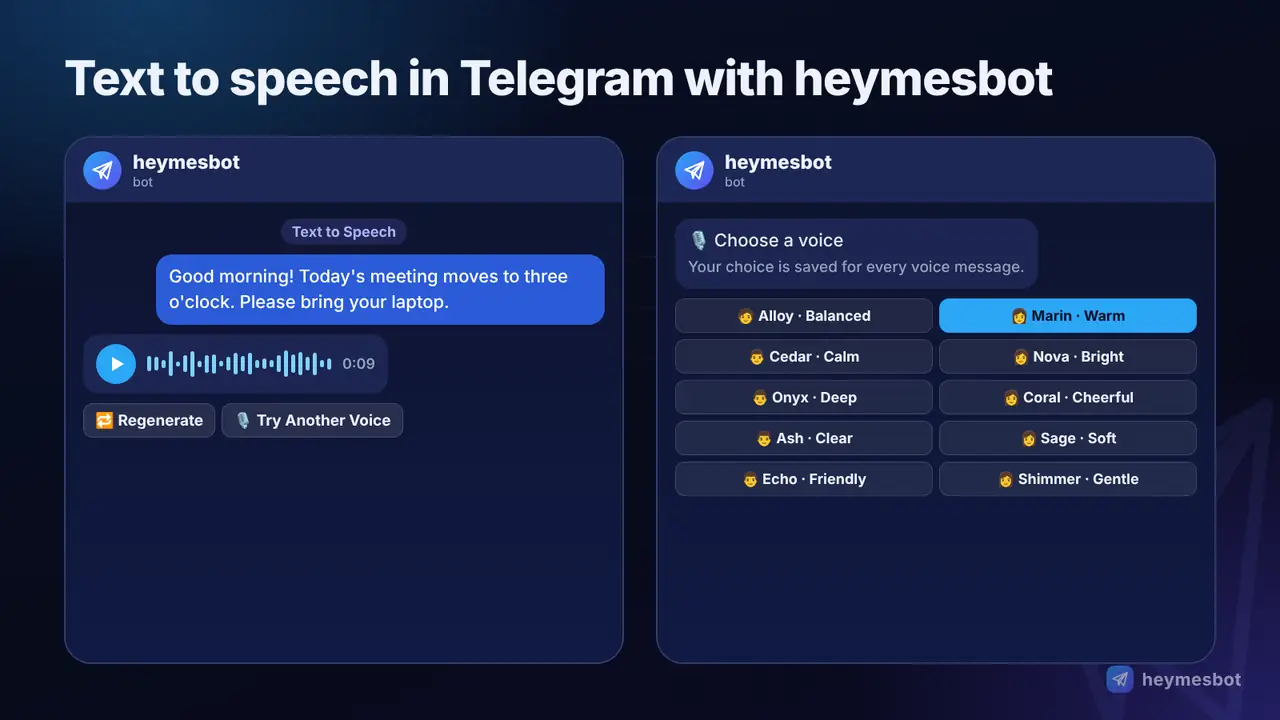
There's a bonus for chat users: every AI chat answer in heymesbot has a 🔊 Listen button, so you can hear a reply instead of reading it.
Price: each voice message costs a fixed 0.03 TON, the same for the Listen button, and you are charged only when the voice message is delivered. You top up with TON (Gram) from any TON wallet; our guide on how to buy Gram and top up heymesbot walks you through it. The same bot also chats, creates and edits images, makes videos and composes music; see the complete guide to AI in Telegram.
Start now
Pick a text you'd rather hear than read, a paragraph of notes, a caption for your next video or a message for a friend, and send it to the bot. In less than a minute you'll have it as a voice message, in the voice you like.
Turn text into speech with heymesbot →
More details: the text to speech feature page and the full price list.
Comments
No comments yet. Be the first to share a thought.
Leave a comment
Comments are reviewed before they appear. Please keep it relevant and kind.